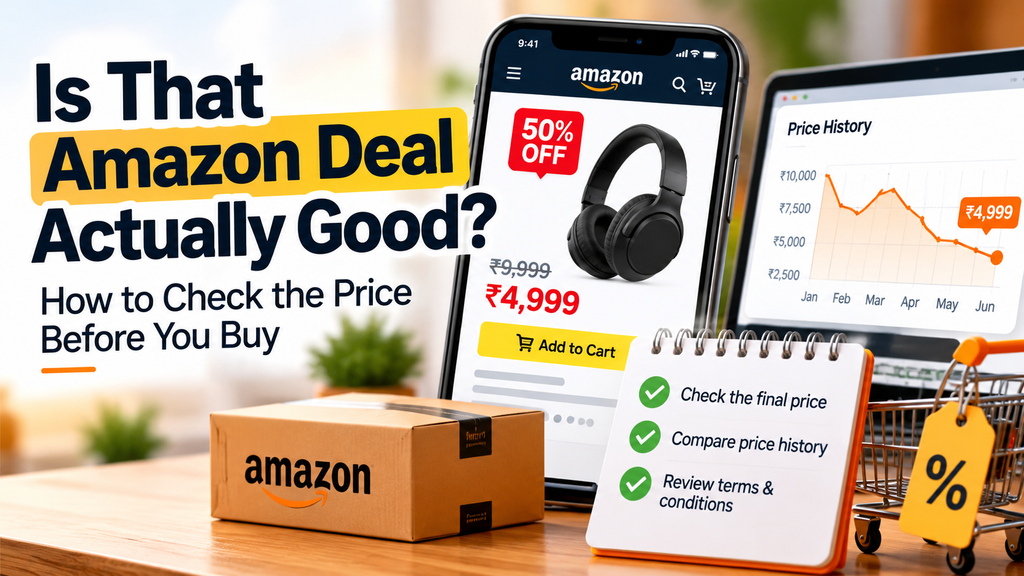
Finding genuine Amazon deals takes more than looking at a big discount label. A product advertised as “50% off” might not be as good a bargain as it seems. The listed MRP may not reflect its usual selling price, and delivery charges or offer conditions can affect the final amount you pay.
Before buying, How Price History Helps You Evaluate Amazon Deals, Compare Amazon Deals Across Shopping Websites, and calculate the final price you’re eligible to pay. This guide explains how to evaluate discounts, review seller and warranty details, and make more informed shopping decisions.
How to Use Price History to Evaluate Amazon Deals
Checking price history helps you evaluate Amazon deals more accurately. Compare the current price with recent prices for the exact same model and variant before deciding whether the discount offers good value.
Look up the history for the exact model and variant you’re considering. A phone with different storage, for example, or an appliance from another product generation may have a different price pattern. Make sure the listing details match before using a past price as a comparison.
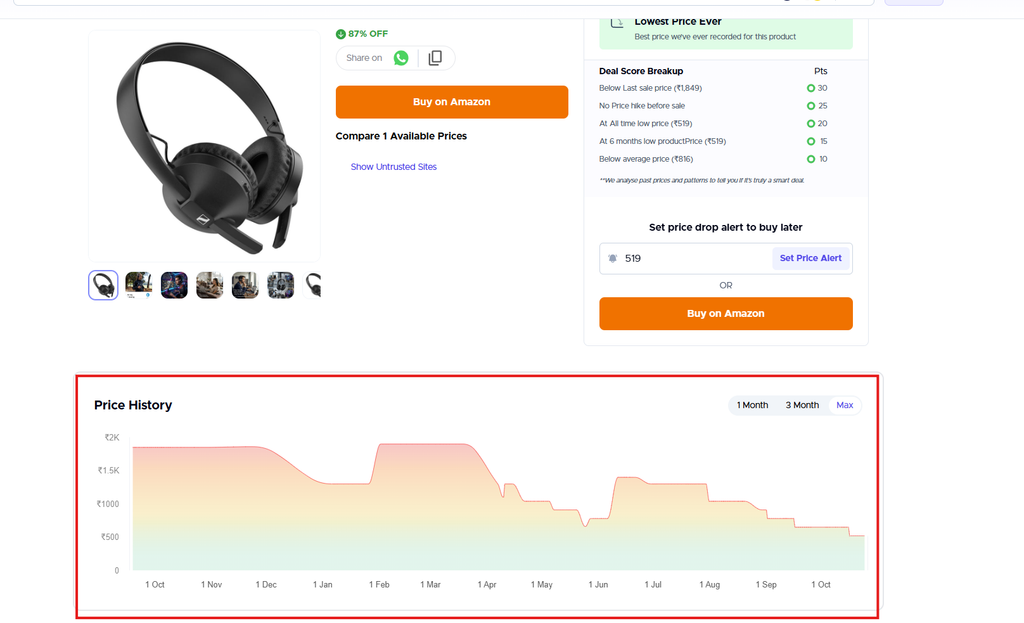
Price-history tool buyhatke can help you spot patterns and assess whether an offer looks competitive, but they do not predict what will happen next. Prices may change, and past prices are not a promise that a product will return to a particular level. Treat the history as useful context alongside the final checkout total and the offer terms that apply to you.
How to Compare Amazon Deals Across Websites
Before buying, don’t rely on Amazon’s discount label alone. Compare the product’s price across different shopping websites to see whether you’re actually getting a good deal.
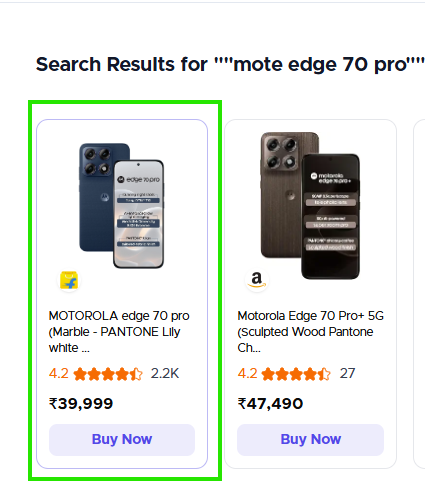
Tools like Buyhatke can help you compare prices across retailers and check price history, making it easier to spot potential discounts and understand whether a current offer is worth considering.
Make sure you’re comparing the exact same product including its model number, generation, storage capacity, and variant. Also check whether the listings include the same accessories or bundle items, as these differences can affect the final value.
WorthBuy tip: Before placing your order, compare the current price, review the price history, and check the final checkout price. A discount is worth considering when the price is competitive and the product meets your needs not just because the listing shows a big percentage off.
Check Amazon Deal Conditions Before Buying
A coupon, bank discount, exchange offer, or no-cost EMI promotion can make a deal look cheaper, but the saving depends on its terms. Check whether you’re eligible, whether there’s a minimum spend, and whether the discount has a cap. A bank offer may apply only to selected cards or payment methods, while an exchange offer may depend on the device you trade in and its condition.
For no-cost EMI, check the available tenure and any fees or other charges shown before you place the order. Compare the total payable with the price you would pay upfront; don’t assume the promotion makes the purchase cheaper overall.
Also check whether offers can be combined. A coupon and bank discount should not be added together in your calculation unless the terms allow both to apply to the same order. Count only the savings shown as applicable to your purchase, then confirm the final total at checkout. If a condition is unclear, leave that benefit out until you can verify it.
Check the Seller and Delivery Details
Before ordering, check who is selling the product and who is responsible for fulfilling it. Review the seller information shown on the listing, including any details available about the seller’s business and ratings. These details can help you assess the offer, but they do not guarantee a particular buying experience.
Look at the estimated dispatch and delivery dates for your location, as well as the return or replacement terms shown for that item. A low price may be less useful if the expected timing or available return options do not suit you. Check these details again before placing the order, since the seller, delivery estimate, or terms may differ between listings for what appear to be similar products.
Review Warranty and Return Conditions
A low price is less useful if the product’s warranty or return terms do not meet your needs. Before buying, check what warranty coverage is stated for the exact product, including its duration, what it covers, and how to request service. Do not assume that two listings for the same model offer identical coverage: terms can vary by product or seller.
Review the listing’s return or replacement eligibility and any conditions that apply, such as the time allowed to request help or the type of issue covered. Also check how to contact the seller or manufacturer for support and where service is available, if that information is provided. These details matter if the item arrives damaged, develops a fault, or is not suitable for you.
Verify the terms shown for the specific listing and seller before checkout, and keep a record of them with your order details. If key coverage or support information is unclear, factor that uncertainty into your comparison rather than treating the lowest price as the best deal.
Spot Misleading Amazon Deal Discounts
A dramatic markdown is worth checking against the product’s price history, not taking at face value. A large percentage off the listed MRP does not show whether the current price is unusually low or close to what shoppers have paid before. Confirm that the comparison is for the same model and variant.
A short countdown or urgent message can make you feel you need to buy immediately. Treat it as a prompt to review the price and terms, not as a reason to skip those checks. Also look closely at unclear offer conditions: if you cannot tell whether a coupon, card discount, or exchange benefit applies to your order, do not count it as a saving yet. These signals are reasons to investigate further, not proof that a listing is fraudulent.
Amazon Price History: Final Buying Checklist
- Confirm the exact model, generation, variant, and bundle.
- Check its price history and compare the same item at other retailers.
- Calculate your final eligible price, including delivery charges and only the offers you can use.
- Review who is selling and fulfilling the order, plus the dispatch and delivery estimates.
- Verify the listing’s return or replacement terms and warranty coverage.
If any detail is unclear, save the listing and revisit it before deciding. A few minutes of checking can help you judge the offer on its actual price and terms, not just its discount label.
The best Amazon deals aren’t necessarily the ones with the biggest discounts. Compare prices, check the offer conditions, and confirm the final checkout total before making your decision